
Design is now essential in daily work. Social media posts, presentations, thumbnails, flyers, and business visuals are expected. While Canva made design accessible, its free plan has limitations that frustrate users. Watermarks, locked elements, and export restrictions often lead creators to seek alternatives.
As a result, interest in free Canva alternatives is rising. Users want tools that are easy to use, provide creative freedom, and do not add watermarks. For content creators, students, small business owners, and marketers, finding a watermark-free Canva alternative saves time, money, and creative energy.
This guide reviews the best free design tools available in 2026. Each option serves as a genuine Canva replacement, offering robust free features and supporting professional-quality designs. All tools listed have been tested for usability, template quality, export options, and reliability.
If you need reliable free graphic design software that respects your work, this article provides clear answers and practical recommendations.
Why Look for Free Canva Alternatives?
Canva is powerful, but its free version has limitations that impact real projects.
Common reasons users switch include:
- Watermarked exports
- Locked premium templates
- Limited branding options
- File format restrictions
- Rising subscription costs
A reliable free Canva alternative removes these barriers while keeping the design process simple.
What Makes a Good Canva Alternative No Watermark?
Before choosing a tool, it helps to know what actually matters.
A strong Canva alternative should offer:
- No watermark on exported designs
- Easy drag-and-drop interface
- Ready-made templates
- Support for social media, print, and presentations
- Cloud-based access
- Free exports in common formats
Not all free graphic design software offers every feature, but the best options meet most needs.
1. VistaCreate
VistaCreate is a leading free Canva alternative. It features a familiar interface, smooth performance, and thousands of free templates.
Key strengths:
- No watermark on free exports
- Strong social media templates
- Built-in animation tools
- Easy resizing options
VistaCreate is frequently compared to Canva, as it closely matches Canva’s features for beginners.
Best for: Social media creators and marketers
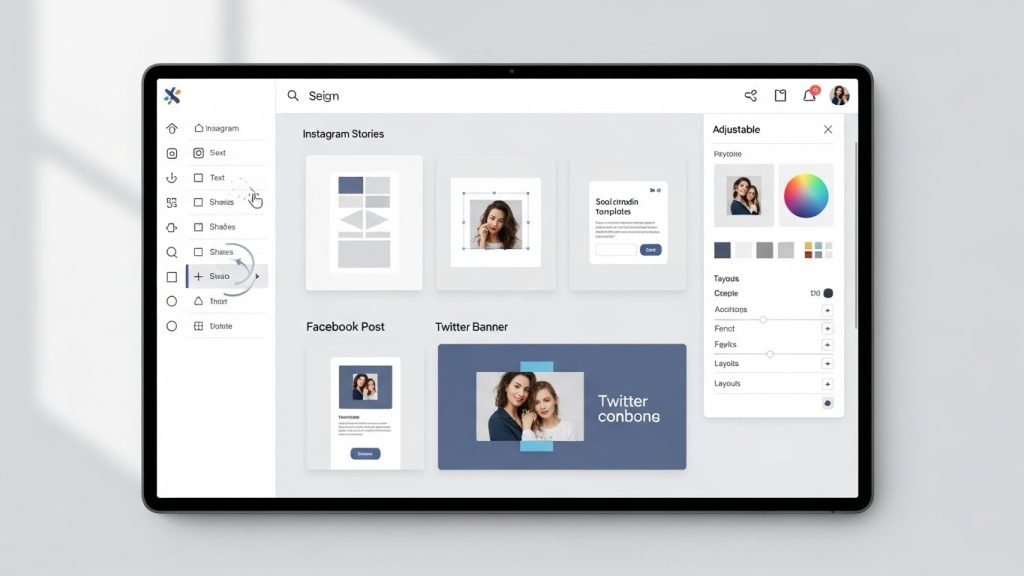
2. Adobe Express
Adobe Express offers professional-level design in a user-friendly format. While some premium assets are restricted, free exports do not include watermarks.
Key strengths:
- High-quality design assets
- Clean, professional templates
- Cloud syncing
- Brand-friendly layouts
Adobe Express works well for users who want polish without complexity.
Best for: Small businesses and brand creators
3. Figma (Free Plan)
Figma is a robust design platform that serves as a Canva replacement for structured projects.
Key strengths:
- No watermark exports
- Real-time collaboration
- Vector-based precision
- Browser-based access
While Figma offers fewer templates, it remains one of the most flexible free design tools.
Best for: Teams, UI designers, structured layouts
4. Pixlr
Pixlr combines photo editing with basic graphic design features. It is well-suited for users who need quick visuals without complexity.
Key strengths:
- No watermark on basic exports
- Browser-based editing
- Photo-focused tools
- Fast performance
Pixlr is ideal for users who prioritize speed over extensive template libraries.
Best for: Quick graphics and photo edits
5. Photopea
Photopea feels like a lightweight Photoshop running in your browser. It supports advanced formats while remaining free.
Key strengths:
- No watermark
- Supports PSD, SVG, PDF
- Layer-based editing
- No account required
Photopea is among the most capable free Canva alternatives for experienced users.
Best for: Advanced users and designers
6. Desygner
Desygner is designed for marketing visuals and social content. It features an easy learning curve and practical templates.
Key strengths:
- Watermark-free exports
- Mobile-friendly
- Social media focus
- Easy brand kits
Desygner is an effective watermark-free Canva alternative for quick business graphics.
Best for: Small businesses and freelancers
7. Snappa
Snappa is simpleSnappa is simple, fast, and focused. Although it has fewer features, it produces clean designs without watermarks.
Key strengths:
- No watermark exports
- Beginner-friendly
- Pre-sized templates
- Quick social visuals
Snappa trades depth for ease.
Best for: Beginners and solo creators
8. Visme (Free Tier)
Visme is best suited for presentations and infographics rather than casual social designs.
Key strengths:
- Visual data tools
- Presentation-focused templates
- Interactive elements
- Brand-friendly layouts
Although some export options are limited, Visme remains one of the best free design tools.
Best for: Presentations and reports
9. Lunacy
Lunacy is a desktop-based design tool with robust offline capabilities.
Key strengths:
- No watermark
- Free built-in assets
- Offline design support
- Vector editing
These features make Lunacy unique among free graphic design software options.
Best for: Offline work and detailed design
10. Krita
Krita is a powerful open-source tool focused on illustration and digital art.
Key strengths:
- 100% free
- No watermark ever
- High-performance drawing tools
- Active community support
Although Krita does not use templates, it excels in providing creative freedom.
Best for: Illustrators and artists
ALSO READ: HOW TO USE FREE Linkedin Premium
Comparison Table: Canva vs Free Canva Alternatives
| Tool Name | Watermark-Free | Templates | Best Use Case |
|---|---|---|---|
| VistaCreate | Yes | Yes | Social media |
| Adobe Express | Yes | Yes | Branding |
| Figma | Yes | Limited | Team design |
| Pixlr | Yes | Limited | Photo editing |
| Photopea | Yes | No | Advanced edits |
| Desygner | Yes | Yes | Marketing |
| Snappa | Yes | Yes | Beginners |
| Visme | Partial | Yes | Presentations |
| Lunacy | Yes | Limited | Offline work |
| Krita | Yes | No | Illustration |
Explanation: This table compares top free Canva alternatives by watermark policy, template availability, and ideal use cases. It helps you choose based on practical needs rather than marketing claims.
How to Choose the Best Free Design Tool for Your Needs
Not all creators need the same features.
Choose based on:
- Social media content → VistaCreate or Snappa
- Branding and business visuals → Adobe Express or Desygner
- Team collaboration → Figma
- Advanced editing → Photopea
- Illustration → Krita
The best choice depends on your design frequency and project type.
FAQs About Free Canva Alternatives
Are free Canva alternatives really watermark-free?
Yes. Many free Canva alternatives support full exports without watermarks, especially for basic templates and formats.
Which Canva alternative is closest in features?
VistaCreate is often considered the closest match to Canva in feature comparisons.
Can I use these tools for commercial projects?
Most tools permit commercial use on free plans, but it is important to review license terms.
Are these tools beginner-friendly?
Yes. Many free Canva alternatives prioritize ease of use and minimal learning curves.
Do free design tools limit export quality?
Some do, but most tools listed here support high-quality PNG and PDF exports.
Is free graphic design software safe to use?
Reputable tools with active development and large user bases are generally safe to use.
Can I replace Canva completely with free tools?
For many users, yes. The best free design tools now address most Canva use cases.
Conclusion
Finding reliable free Canva alternatives in 2026 is easier than ever. The design landscape has matured, and many platforms now provide real value without requiring subscriptions or adding watermarks.
Whether you prefer the simplicity of VistaCreate, the precision of Figma, or the creative freedom of Krita, there is a watermark-free Canva alternative to suit your workflow. These free Canva alternatives enable creators to design confidently without hidden costs.
Choosing the right tool depends on your goals, not marketing hype. Test several options, evaluate their strengths, and develop a design process that supports your creativity.
If you are ready to move beyond restrictions, these free graphic design software options give you full control over your visuals, with no watermarks, compromises, or unnecessary upgrades.