
How to Spot a Fake Online Shopping Website: 10 Red Flags
You find the perfect deal on social media — brand-name sneakers at 70% off, free shipping, "only 3 left in stock." You pay, and then… nothing arrives. The site stops responding. Your money is gone. Learning how to spot a fake online shopping website before you pay is one of the most valuable internet skills you can have, because these scam stores are getting slicker every year.
I've watched friends lose money to stores that looked completely professional — clean layouts, customer reviews, even live chat. But fake stores always leave clues. This guide gives you a practical 10-point checklist, shows you how to verify any unfamiliar store in about two minutes, and tells you exactly what to do if you've already paid a scammer.
- Why Fake Shopping Sites Are Everywhere
- 10 Red Flags of a Fake Online Shopping Website
- How Can You Verify a Store Before You Pay?
- What Should You Do If You Already Paid a Fake Store?
- FAQs
Why Fake Shopping Sites Are Everywhere
Setting up a fake store costs a scammer almost nothing: a cheap domain, a stolen product catalog, and some ads on social media. A single convincing site can collect hundreds of payments before complaints pile up and it disappears — then the same operator launches an identical store under a new name the next day.
Social media ads are their favorite hunting ground. You don't go looking for these stores; they come to you, dressed up as sponsored posts with too-good-to-be-true prices. That's why you need a verification habit, not just good instincts. One red flag might have an innocent explanation. Three or four together means you should walk away.
10 Red Flags of a Fake Online Shopping Website
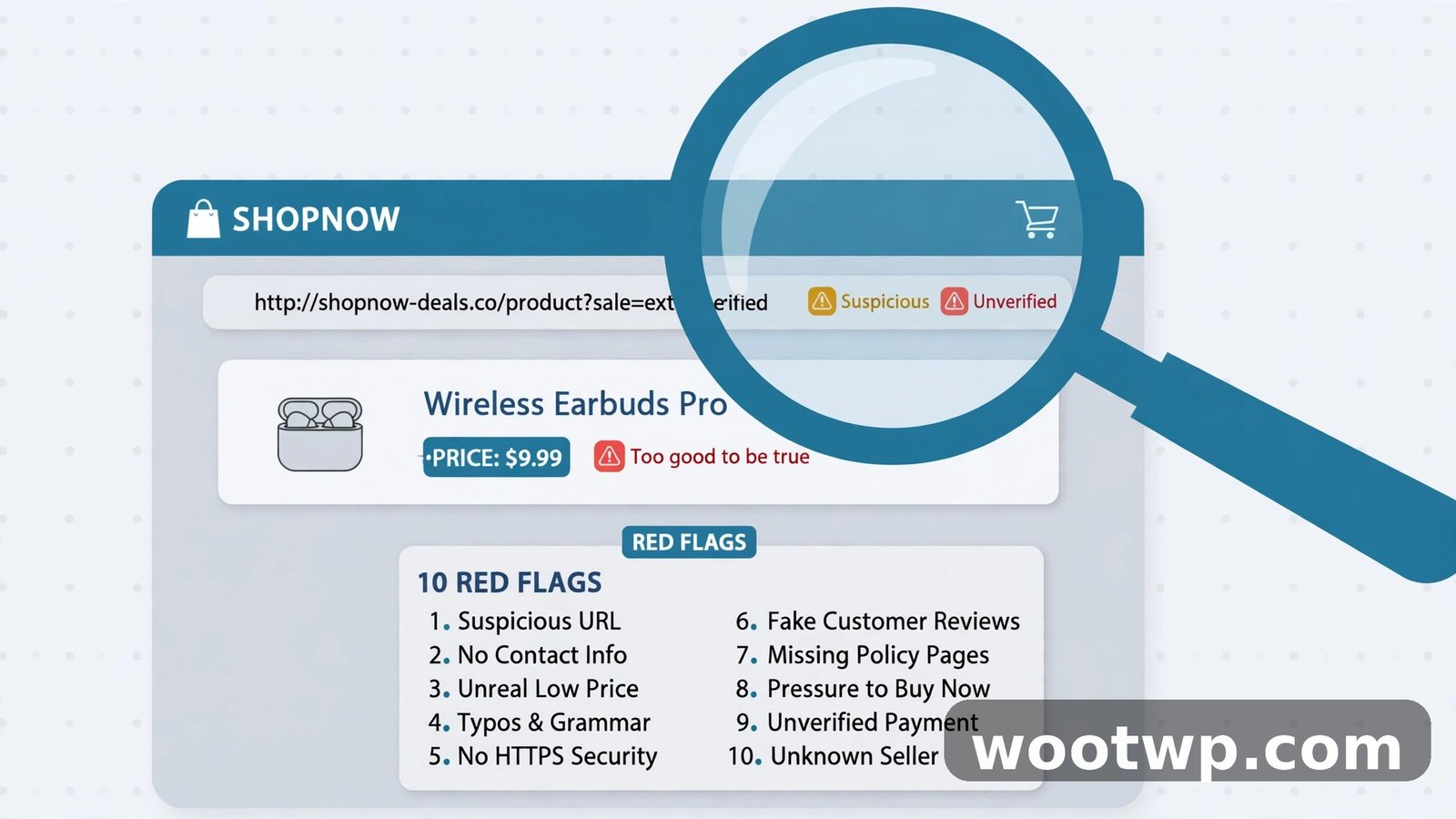
Run through this checklist every time you consider buying from a store you haven't used before. The more boxes a site ticks, the more certain you can be that it's a scam.
1. Prices that are far below everyone else
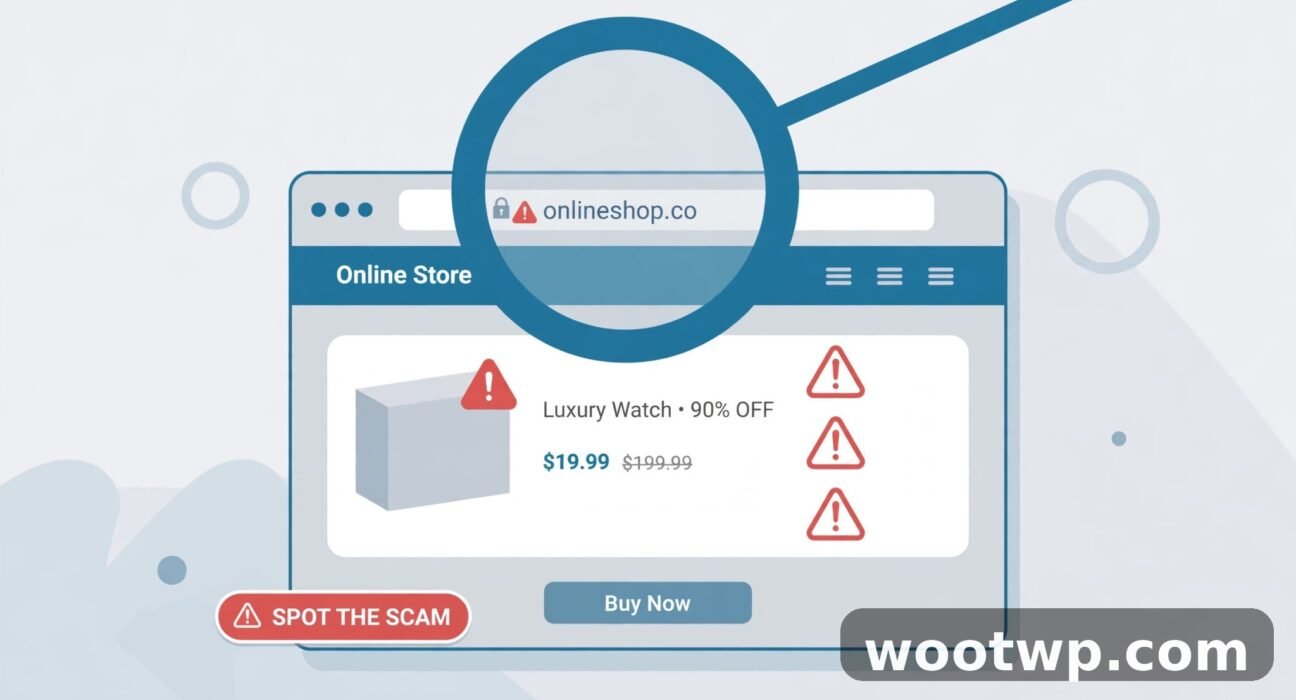
A brand-new flagship phone at half price. Designer bags at 80% off. Legitimate retailers have margins too — nobody sells genuine products at a huge loss. Extreme discounts are the number one bait scammers use, because price is the fastest way to shut off your critical thinking.
Quick check: search the product name on two or three well-known retailers. If the mystery store is dramatically cheaper than all of them, it's bait.
2. A strange or slightly-off website address
Scammers love lookalike domains: extra words tacked on (brandname-sale.com), misspellings (amaz0n-deals.com), or odd endings on a brand you'd expect at .com. Read the URL character by character before you trust it.
Also be wary of long, random-looking domains (bestdeals2026shop-online.net) and free subdomain addresses. A real business invests in a clean, memorable domain.
3. No real contact information
Legitimate stores want you to reach them — they list a phone number, an email address, and a physical address. Fake stores avoid accountability. Watch for:
- A contact page with only a form and no email, phone, or address.
- An address that turns out to be a parking lot or a mail-forwarding service when you search it.
- A phone number that doesn't work when you call it.
Test it: actually call the number or send an email before you order. Silence is an answer.
4. Missing or copy-pasted policies
A real store has clear shipping, return, refund, and privacy policies with specifics: how many days for returns, who pays return shipping, refund timelines. Fake stores either skip these pages entirely or paste generic text full of placeholders and contradictions — sometimes the policy even names a different company.
If there's no returns policy at all, don't buy. You're handing your dispute leverage away before you've even paid.
5. Suspicious payment methods only
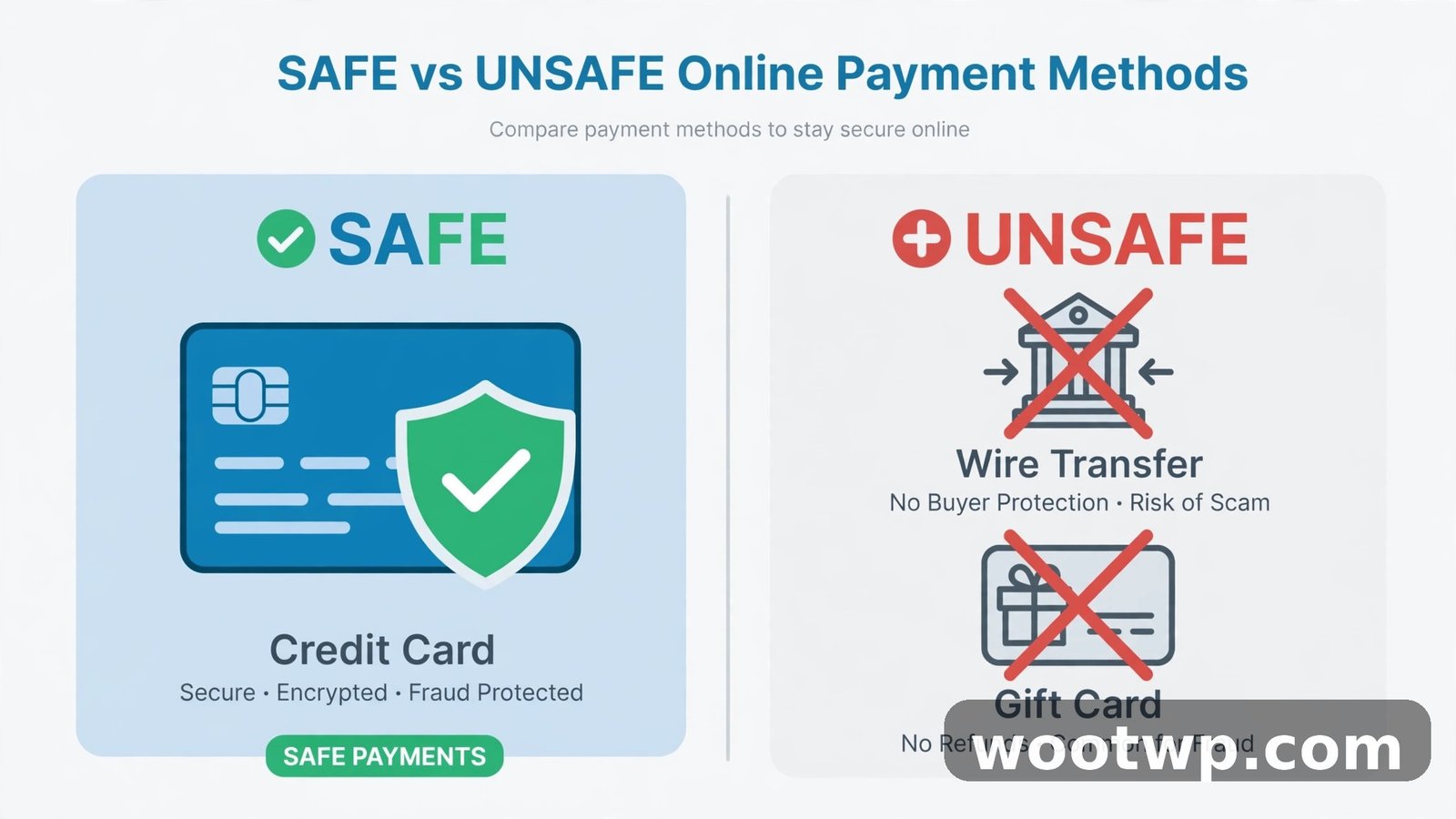
This is one of the strongest signals. Fake stores push payment methods you can't reverse: wire transfers, gift cards, cryptocurrency, or obscure payment apps. They avoid credit cards and trusted wallets because those let you dispute the charge.
Rule of thumb: if a store won't take a credit card, don't shop there. Credit cards give you chargeback rights; a wire transfer gives you nothing. When you do pay by card, a card-based wallet (Apple Pay, Google Pay) adds another layer by keeping your card number hidden from the merchant.
6. High-pressure tactics everywhere
Countdown timers on every product. "Only 2 left!" banners. Pop-ups screaming that 47 people are viewing this item. Real stores use urgency sparingly; scam stores use it on everything because they need you to buy before you think.
Whenever you feel rushed, that's your cue to slow down. Close the tab, wait an hour, and verify the store with a clear head. The "deal" will either still be there or it was never real.
7. No independent reviews — only reviews on their own site
Five-star reviews on the store's own website mean nothing; the store owner wrote or bought them. What matters is what strangers say elsewhere:
- Search "[store name] + reviews" and "[store name] + scam" on Google.
- Check independent review platforms — but read critically, since fake reviews exist there too.
- Look for detailed complaints about orders never arriving or refunds being refused.
A store with zero presence anywhere except its own site and a few days of social media ads is a major red flag.
8. Broken or fake social media links
Scam stores plaster social media icons on their pages for credibility. Click them. Do they open real, active profiles with genuine engagement — or dead pages, empty profiles created last week, or links that go nowhere?
Also check the store's claimed history against reality. A site claiming "10 years in business" with a Facebook page created last month is lying about one of those things.
9. Poor design, typos, and stolen content
Sloppy spelling and grammar, blurry or mismatched product photos, and product descriptions that read like they were machine-translated are classic signs. So are "About Us" pages that say nothing about actual people or a real company history.
One caution: AI tools now let scammers produce polished-looking content cheaply, so a professional-looking site isn't proof of legitimacy anymore. Good design lowers your guard — run the rest of the checklist anyway.
10. A very new domain with no track record
You can check a domain's age with a free WHOIS lookup (search "WHOIS lookup" and use any reputable one). A store registered two weeks ago, hiding behind privacy protection, with no business history, deserves heavy skepticism — especially combined with any other red flag above.
New doesn't automatically mean scam — every real business starts somewhere. But new plus extreme discounts plus no contact info is a pattern, not a coincidence.
How Can You Verify a Store Before You Pay?
When a store passes the red-flag scan — or when you're unsure — spend two minutes on active verification:
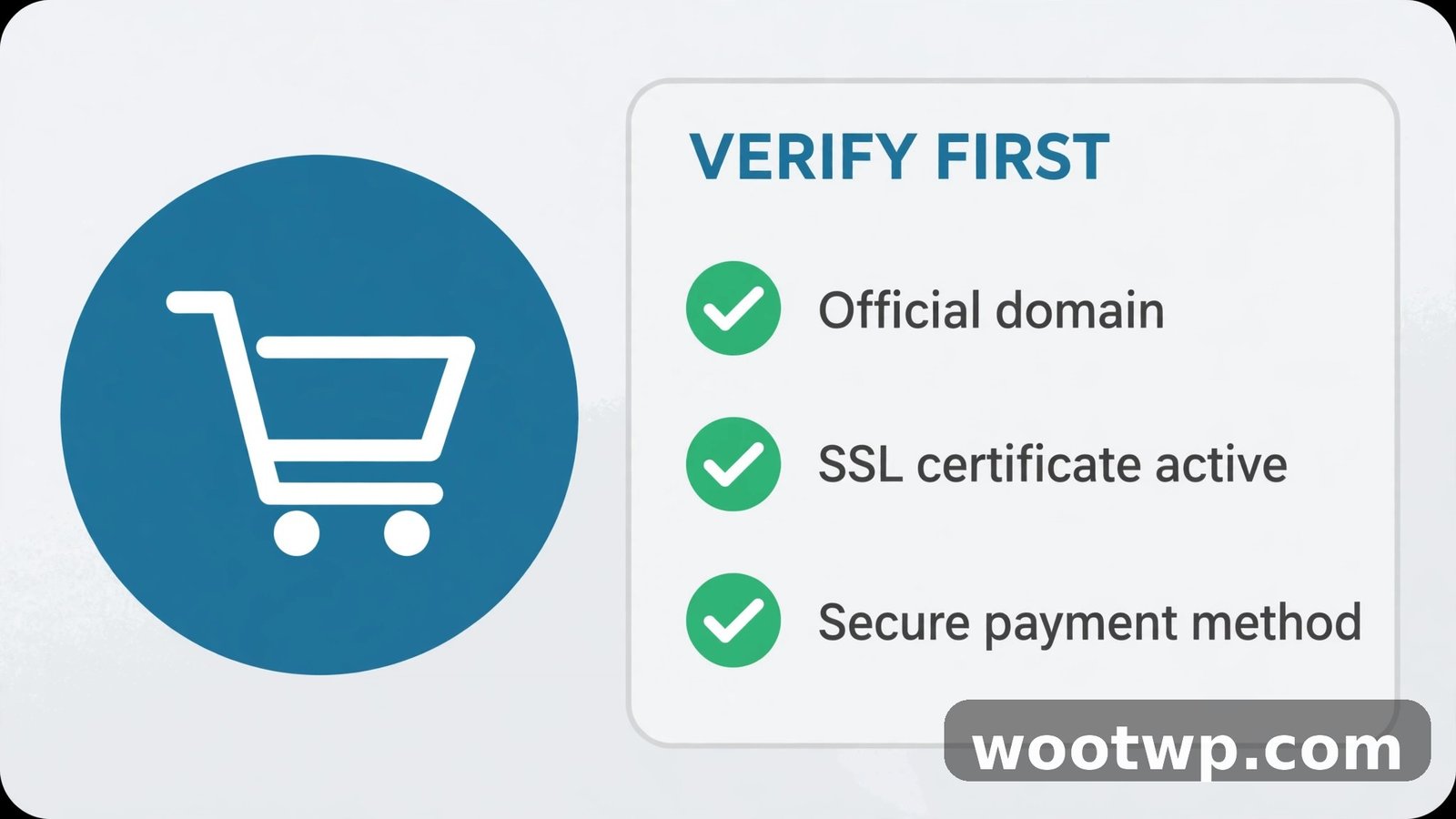
- Inspect the URL. Confirm it's https:// with a padlock icon on the checkout page, and that the domain matches the brand (no misspellings, no extra words).
- Search the store's name plus "scam" or "reviews." Real complaints surface fast. If you find nothing at all — no reviews, no mentions, no business listings — treat that as a warning, not a clean bill of health.
- Check their policies. Read the return and refund policy end to end. Look for a real return address, clear timelines, and consistent company details.
- Test the contact info. Call the phone number. Email a question. A real business answers.
- Verify the payment options. Credit card or a trusted wallet should be available. If it's wire transfer, crypto, or gift cards only, walk away.
- Check social proof independently. Click the social icons, check profile ages, read comments for complaints about missing orders.
- Run the link through safety checks. If you arrived via an ad or a message, verify the link itself with the steps in how to check if a link is safe before clicking — scammers also spread fake stores through phishing messages, so it's worth knowing how to tell if an email is phishing too.
If a store survives all seven checks, it's probably legitimate. If it fails two or more, find the product elsewhere — even if it costs a little more.
What Should You Do If You Already Paid a Fake Store?
Act fast — speed is everything in getting your money back:
- Contact your bank or card issuer immediately and dispute the charge. Explain the store never delivered (or delivered counterfeits). Credit card chargebacks are your strongest tool — this is exactly why you should always pay by card.
- Change your passwords. If you created an account on the fake site, assume the password is compromised — especially if you reuse passwords anywhere (don't). Start with your email account, since it's the key to resetting everything else. Then check whether your email has been caught up in a known breach and secure it.
- Turn on two-factor authentication on your email, banking, and shopping accounts so a leaked password alone isn't enough to get in.
- Report the site. File a complaint with your country's consumer protection or cybercrime authority, and report the domain to Google Safe Browsing. Every report makes it harder for the scammer to run the next copycat store.
- Warn others. Leave honest reviews on independent platforms describing what happened. Your review might save the next shopper.
- Watch your statements. Monitor your card for follow-up charges over the next few months, and consider a replacement card if you suspect the number is compromised.
FAQs
What is the safest payment method for online shopping?
A credit card, ideally through a trusted wallet like Apple Pay or Google Pay. Credit cards offer chargeback rights if the store doesn't deliver, and wallets keep your actual card number hidden from the merchant. Never pay an unfamiliar store by wire transfer, gift card, or cryptocurrency.
Can a fake shopping website look completely professional?
Yes — and increasingly so. Scammers now use AI-generated product descriptions, stolen professional photos, and polished templates. That's why you can't judge by looks alone. Always verify the domain, contact details, policies, and independent reviews before trusting a new store.
Are all stores with big discounts scams?
No. Legitimate clearance sales exist, especially from known retailers. The danger sign is an unknown store offering prices far below every established seller, with no track record and no accountability. Compare the price against two or three well-known retailers before deciding.
How do I check how old a website is?
Use a free WHOIS lookup tool — search "WHOIS lookup" and pick a reputable one, then enter the domain. It shows the registration date. A domain registered days or weeks ago, combined with big discounts and no contact info, is a strong scam pattern.
What should I do if a store only accepts cryptocurrency or gift cards?
Don't buy from it. Irreversible payment methods are the scammer's best friend because you can't dispute the charge. Legitimate stores accept credit cards or trusted payment services that give buyers recourse.
Is it safe to shop through social media ads?
It can be, but social media ads are the top channel scammers use to reach victims. Treat every unfamiliar store from an ad as unverified until you've run the checklist: search its name plus "scam," verify contact info, and confirm it takes credit cards. Never buy in a rush because of a countdown timer.
Conclusion
Knowing how to spot a fake online shopping website boils down to one habit: verify before you pay. Check the URL, look for real contact details and clear policies, search for independent reviews, insist on reversible payment methods, and never let a countdown timer rush you. Two minutes of checking can save you from losing your money — and from the headache of fighting to get it back.